

Quiz Summary
0 of 20 Questions completed
Questions:
Information
You have already completed the quiz before. Hence you can not start it again.
Quiz is loading…
You must sign in or sign up to start the quiz.
You must first complete the following:
Results
Results
0 of 20 Questions answered correctly
Your time:
Time has elapsed
You have reached 0 of 0 point(s), (0)
Earned Point(s): 0 of 0, (0)
0 Essay(s) Pending (Possible Point(s): 0)
Categories
- Not categorized 0%
- 1
- 2
- 3
- 4
- 5
- 6
- 7
- 8
- 9
- 10
- 11
- 12
- 13
- 14
- 15
- 16
- 17
- 18
- 19
- 20
- Current
- Review
- Answered
- Correct
- Incorrect
-
Question 1 of 20
1. Question
Which of these would be the best to upload and create a vinyl decal?
 CorrectIncorrect
 -
Question 2 of 20
2. Question
Which of these functions can only be used with 2 layers at a time?
CorrectIncorrect -
Question 3 of 20
3. Question
If I want to create a duplicate of my background layer right on top before I intersect, what’s the best trick to do that?
CorrectIncorrect -
Question 4 of 20
4. Question
If there are very obvious seams in your pattern like this, it is because _________.
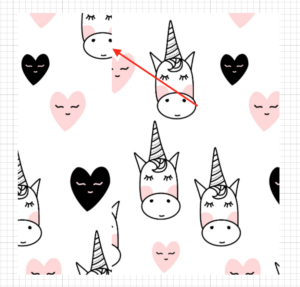 CorrectIncorrect
 -
Question 5 of 20
5. Question
Which # depicts “attach” “weld” and “group”?
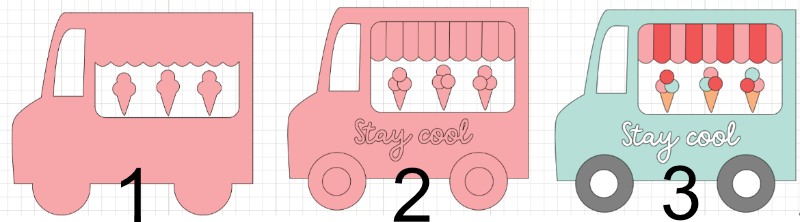 CorrectIncorrect
 -
Question 6 of 20
6. Question
Which of these functions are editable and you can “undo” at any point?
(Select all that apply. May be multiple correct answers)
CorrectIncorrect -
Question 7 of 20
7. Question
When I go to make my project, the mat looks all jumbled up! What did I do wrong?
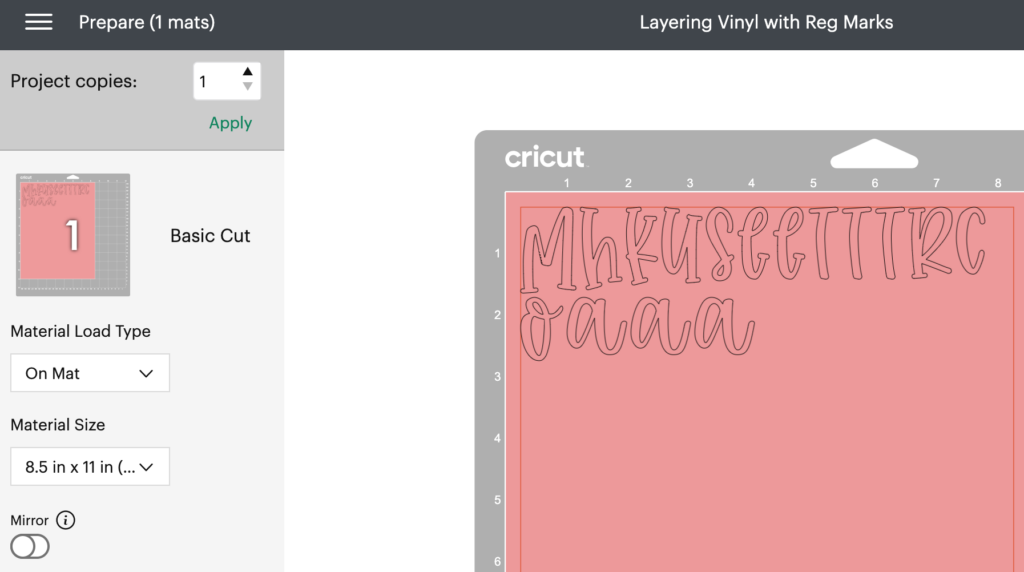 CorrectIncorrect
 -
Question 8 of 20
8. Question
If you are browsing images and find a design you like but it’s not quite right, what should you do?
CorrectIncorrect -
Question 9 of 20
9. Question
How can I make sure that my pair of bunny ears is centered correctly on the head of my bunny?
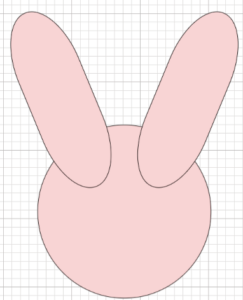 CorrectIncorrect
 -
Question 10 of 20
10. Question
I want to add stripes on my circle, but when I select it all and intersect the entire thing disappears and I get a “No Combine Result” error. What did I do wrong?
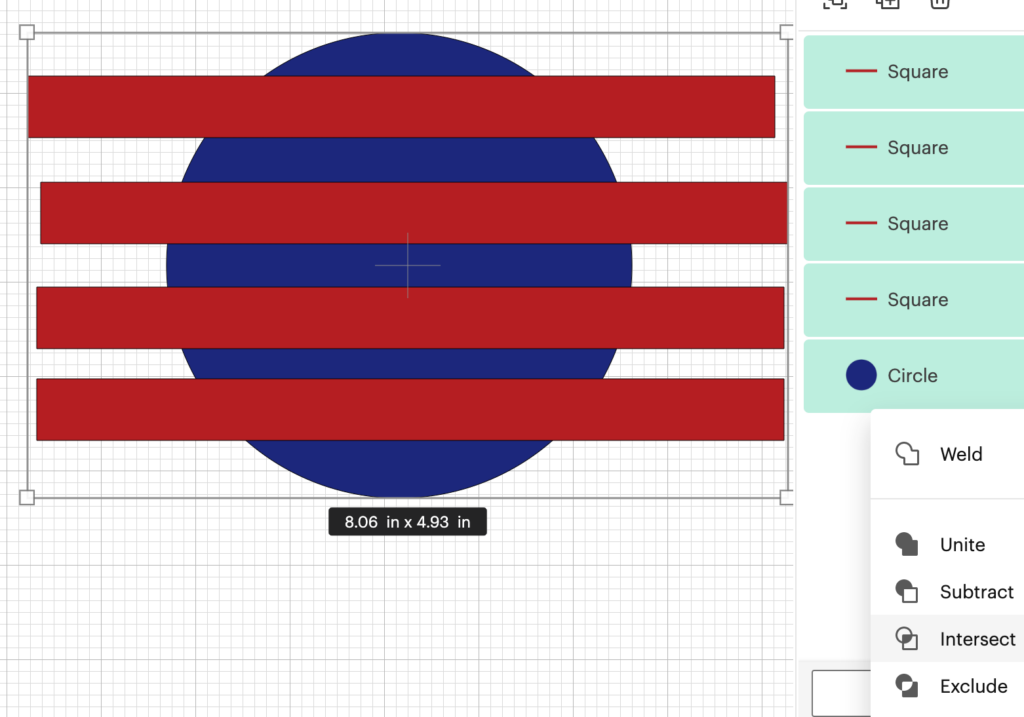 CorrectIncorrect
 -
Question 11 of 20
11. Question
I tried cutting this as a print then cut sticker but it cut out each letter and ribbon piece separately. How do I cut it as a single piece?
CorrectIncorrect -
Question 12 of 20
12. Question
What’s the most efficient way to upload this JPG so I can cut the stem and the flower separately?
CorrectIncorrect -
Question 13 of 20
13. Question
If I want to cut out the stars and text from this oval, what function should I use?
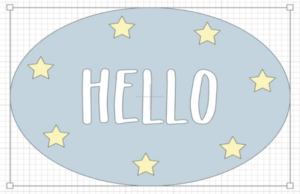 CorrectIncorrect
 -
Question 14 of 20
14. Question
What’s the best way to quickly turn this butterfly into a solid silhouette?
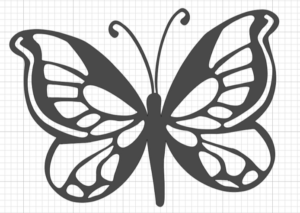 CorrectIncorrect
 -
Question 15 of 20
15. Question
If the last letter of your warp is too squished like this, what should you do?
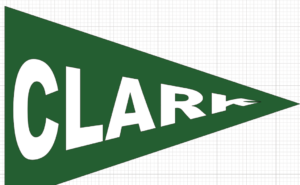 CorrectIncorrect
 -
Question 16 of 20
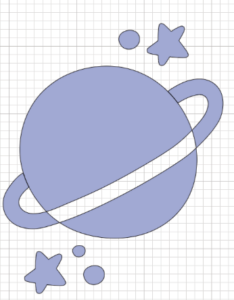
16. Question
This design was most likely created with the ____ function.
 CorrectIncorrect
 -
Question 17 of 20
17. Question
If I want to keep all parts of my red, white and blue flag design together as I position it on the front of my card, I should _____.
CorrectIncorrect -
Question 18 of 20
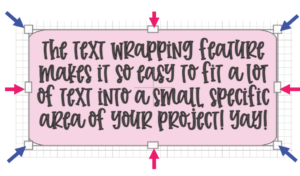
18. Question
Do the blue or pink arrows point to the text wrapping nodes that you can use to resize your text box?
 CorrectIncorrect
 -
Question 19 of 20
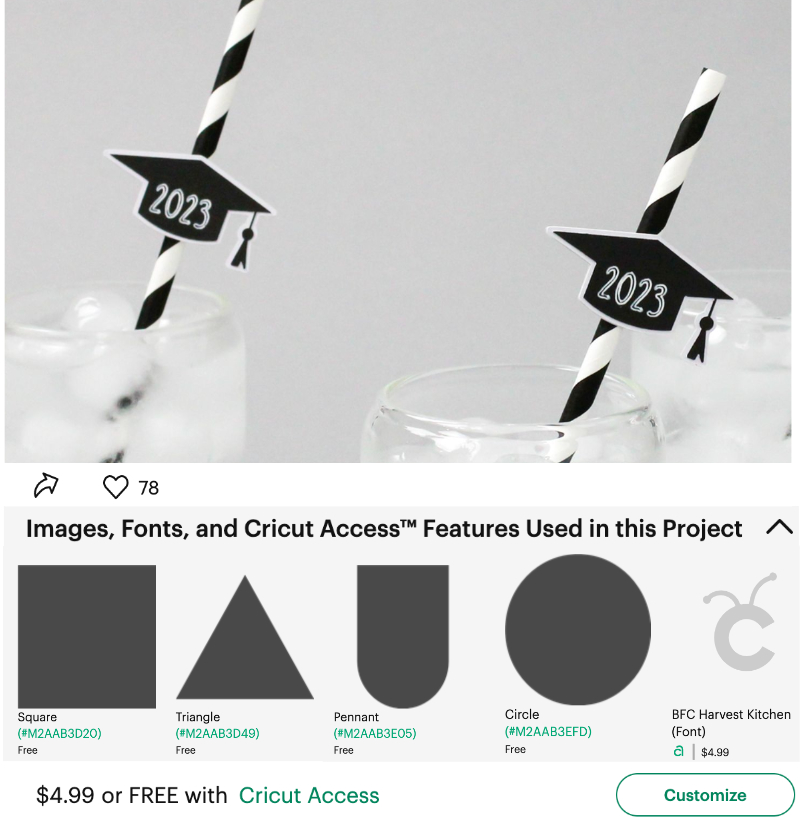
19. Question
How could you make this project for free?
 CorrectIncorrect
 -
Question 20 of 20
20. Question
Which of these is NOT something you can do in Design Space with one of our “ninja tricks”?
CorrectIncorrect